Ever glanced at your phone or laptop and noticed the smudges, dust, and crumbs? It’s that moment of dread, right? Cleaning these pricey gadgets can feel like a nightmare.
Use the wrong product, and you might damage it. Ignore the grime, and it just gets worse.
I get it. I’ve spent years testing cleaning methods on everything from countertops to those delicate, important gadgets we love. Trust me, you don’t need fancy products.
What you really need is a simple, clear system. That’s what I’m offering you here.
This guide will show you how to make gadgets cleaning easier using items you likely already have at home. I’ll simplify the process so that cleaning becomes a stress-free part of your routine. Let’s take the guesswork out of it together.
Stop Before You Spray: Gadget Cleaning Blunders
Ever sprayed your gadget with a household cleaner? I used to think it was fine (hey, it cleans windows), but those harsh chemicals are a disaster for your screens. Ammonia-based glass cleaners strip away protective coatings, leaving devices more vulnerable to scratches and glare.
It’s like putting your screens in a chemical bath (trust) me, not a good idea.
Then there’s the rookie move: spraying liquid directly onto your device. I did this once, and it led to liquid seeping into every nook and cranny. Ports, bezels, and keyboards don’t mix well with moisture.
Short circuits become a real threat. I learned the hard way that spraying onto a cloth first is the way to go.
Let’s talk about materials. Paper towels are the devil’s cloth for screens. I once used one in a pinch, and it left micro-scratches.
These are tiny, sure, but they add up. A soft microfiber cloth is your best friend here, with its gentle texture keeping surfaces pristine.
Don’t forget the small stuff. Ports and vents collect dust like it’s their job. Ignoring these spots leads to overheating and performance issues.
Ever had a device slow down for no reason? Dust might be the culprit. I recommend a gentle brush or a can of compressed air for those tricky areas.
To make gadgets cleaning easier, remember these pitfalls. It’s like having a cheat sheet for what not to do, just like you’d want with a list of “Top 10 Must Have Kitchen Utensils.” Keep your tech clean and running smoothly.
Ultimate Device Cleaning Toolkit: Everyday Magic
You don’t need fancy gadgets to keep your devices spotless. Trust me, a few everyday items can make all the difference. Let’s get straight into it.
First up, microfiber cloths. You really need at least two. One for damp cleaning, the other for dry buffing.
Why? They’re non-abrasive and trap dust like a pro. Forget about scratching your screen or leaving lint behind.
They’re magic, really.
Next, let’s talk distilled water. Tap water leaves mineral deposits. Distilled water doesn’t.
It’s as simple as that. Use it with a spray bottle for precision. You’ll thank me later.
Now, for those who want to disinfect, isopropyl alcohol (70%) is your friend. But be careful. Especially around screens.
It’s great for keyboards and mice. Dilute it 50/50 with distilled water. That’s the sweet spot for safe cleaning.
Need to tackle those pesky crumbs in your keyboard? Compressed air or a manual air blower is what you need. Compressed air is solid, but a manual blower is reusable and eco-friendly.
Your choice. Either way, your keyboard will thank you.
And the unsung heroes: soft-bristled brushes and cotton swabs. They’re perfect for tight spots. Think between keys or around camera lenses.
It’s like having a mini-cleaning crew at your disposal.
So there you have it, your ultimate device cleaning toolkit. Simple, effective, and budget-friendly. Plus, it makes gadgets cleaning easier.
Who doesn’t want that? If you’re tired of dirty screens and sticky keyboards, then this toolkit is your new best friend. Trust me, you’ll wonder how you ever lived without it.
The Simplified Cleaning Playbook: From Sticky Keyboards
Cleaning gadgets can be a chore, but it doesn’t have to be. Let’s make gadgets cleaning easier. Got a smudged screen?
I know, it’s hard to focus on that Netflix show when your monitor is streaked like a bad car wash.
Screens (Laptops, Monitors, TVs, Phones): First, power that baby down. You don’t want electric shock therapy, right? Next, use a dry microfiber cloth to sweep away dust. Dampen a second cloth with distilled water (no sprays here) and wipe in straight lines. Finally, buff dry with the first cloth. Voila! You can actually see your reflection again.
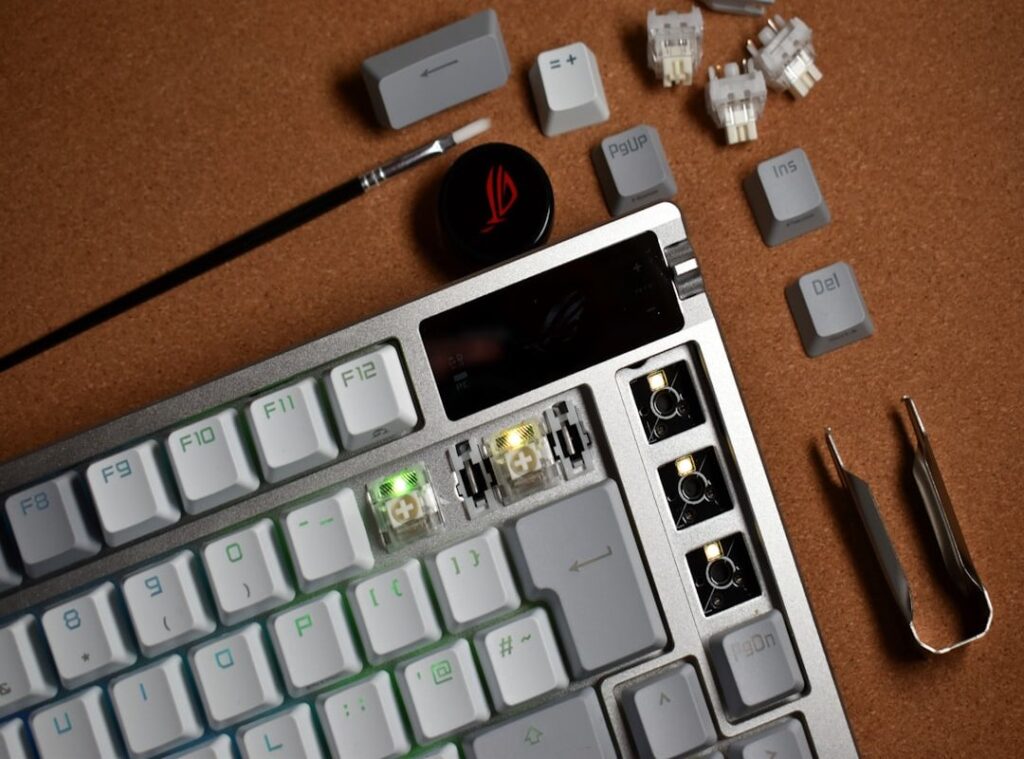
Keyboards & Mice: Ever looked at your keyboard and thought it might be a biohazard? For a quick clean, grab some compressed air to blow away crumbs and mystery particles. Then wipe down with a cloth lightly moistened with an alcohol solution. Feeling brave? You can pop off keys on a mechanical keyboard for a deeper clean, but let’s save that for a rainy day. Just don’t blame me if you lose a keycap under the couch.
Cases & Accessories: Your phone case has seen better days. Wash silicone cases with soap and water. Easy win. Other accessories deserve love too. A clean device needs clean accessories. Otherwise, you’re just moving grime around.
Ports, Vents & Speakers: These spots are dust magnets. Use compressed air in short bursts from a distance. Or a soft brush if you’re feeling fancy. Avoid sharp objects unless you want to perform an impromptu gadget surgery. I’ve done it. Not fun.
Now, if you’ve made it this far, you’re serious about keeping your tech tidy. For more tips about keeping not just your gadgets, but your home safe, check out affordable security systems peace of mind. Nobody wants to spend more time cleaning than necessary, and these simple steps will help keep your devices looking sharp.
Trust me, once you see your gadgets sparkling, you won’t want to go back. It’s like finally seeing HD after living with blurry vision. No one wants that.
From Chore to Habit: Keep Devices Clean for Good
Cleaning gadgets (who) enjoys it? I used to see it as a chore, but I’ve shifted my focus to long-term maintenance. You should try “habit stacking,” a game-changer for making gadgets cleaning easier.
Just like brushing your teeth, pair phone cleaning with plugging it in at night.
And don’t get me started on the “Tech Refresh.” Every week, when I dust my place, I spend 5 minutes wiping down my laptop and monitor. It feels almost therapeutic. Keeping a toolkit handy.
Like a microfiber cloth and a spray bottle. Is key. I keep mine in a desk drawer for easy access, and it makes the whole process smoother.
The real kicker? Consistent effort, no major grime buildup. Your devices, they look and work like new.
So, why put yourself through a scrubbing marathon later when a little maintenance now saves you the headache? You can thank me later for this tip.
Clean Tech, Clear Mind
Feeling stuck with grimy gadgets? Cleaning them seemed risky, right? Well, not anymore.
You’ve cracked the code to gadgets cleaning easier with a simple, damage-free system. It’s all about using straightforward tools and building a habit that sticks.
Why let germs win when you can tackle them with confidence? Take five minutes now. Gather your cleaning kit.
Start with your phone screen.
See the difference? Reclaim that clean, functional tech today. And remember, you’re not alone.
Join countless others who’ve already made the change. Your devices deserve the best. So do you.
Ready to start?
 Interior Styling Consultant
Agnes Pakenzone has opinions about room-specific cleaning techniques. Informed ones, backed by real experience — but opinions nonetheless, and they doesn't try to disguise them as neutral observation. They thinks a lot of what gets written about Room-Specific Cleaning Techniques, Home Care Strategies and Fixes, Interior Styling Ideas and Trends is either too cautious to be useful or too confident to be credible, and they's work tends to sit deliberately in the space between those two failure modes.
Reading Agnes's pieces, you get the sense of someone who has thought about this stuff seriously and arrived at actual conclusions — not just collected a range of perspectives and declined to pick one. That can be uncomfortable when they lands on something you disagree with. It's also why the writing is worth engaging with. Agnes isn't interested in telling people what they want to hear. They is interested in telling them what they actually thinks, with enough reasoning behind it that you can push back if you want to. That kind of intellectual honesty is rarer than it should be.
What Agnes is best at is the moment when a familiar topic reveals something unexpected — when the conventional wisdom turns out to be slightly off, or when a small shift in framing changes everything. They finds those moments consistently, which is why they's work tends to generate real discussion rather than just passive agreement.
Interior Styling Consultant
Agnes Pakenzone has opinions about room-specific cleaning techniques. Informed ones, backed by real experience — but opinions nonetheless, and they doesn't try to disguise them as neutral observation. They thinks a lot of what gets written about Room-Specific Cleaning Techniques, Home Care Strategies and Fixes, Interior Styling Ideas and Trends is either too cautious to be useful or too confident to be credible, and they's work tends to sit deliberately in the space between those two failure modes.
Reading Agnes's pieces, you get the sense of someone who has thought about this stuff seriously and arrived at actual conclusions — not just collected a range of perspectives and declined to pick one. That can be uncomfortable when they lands on something you disagree with. It's also why the writing is worth engaging with. Agnes isn't interested in telling people what they want to hear. They is interested in telling them what they actually thinks, with enough reasoning behind it that you can push back if you want to. That kind of intellectual honesty is rarer than it should be.
What Agnes is best at is the moment when a familiar topic reveals something unexpected — when the conventional wisdom turns out to be slightly off, or when a small shift in framing changes everything. They finds those moments consistently, which is why they's work tends to generate real discussion rather than just passive agreement.